iOS · Android · Web
Your whole band, on one subscription.
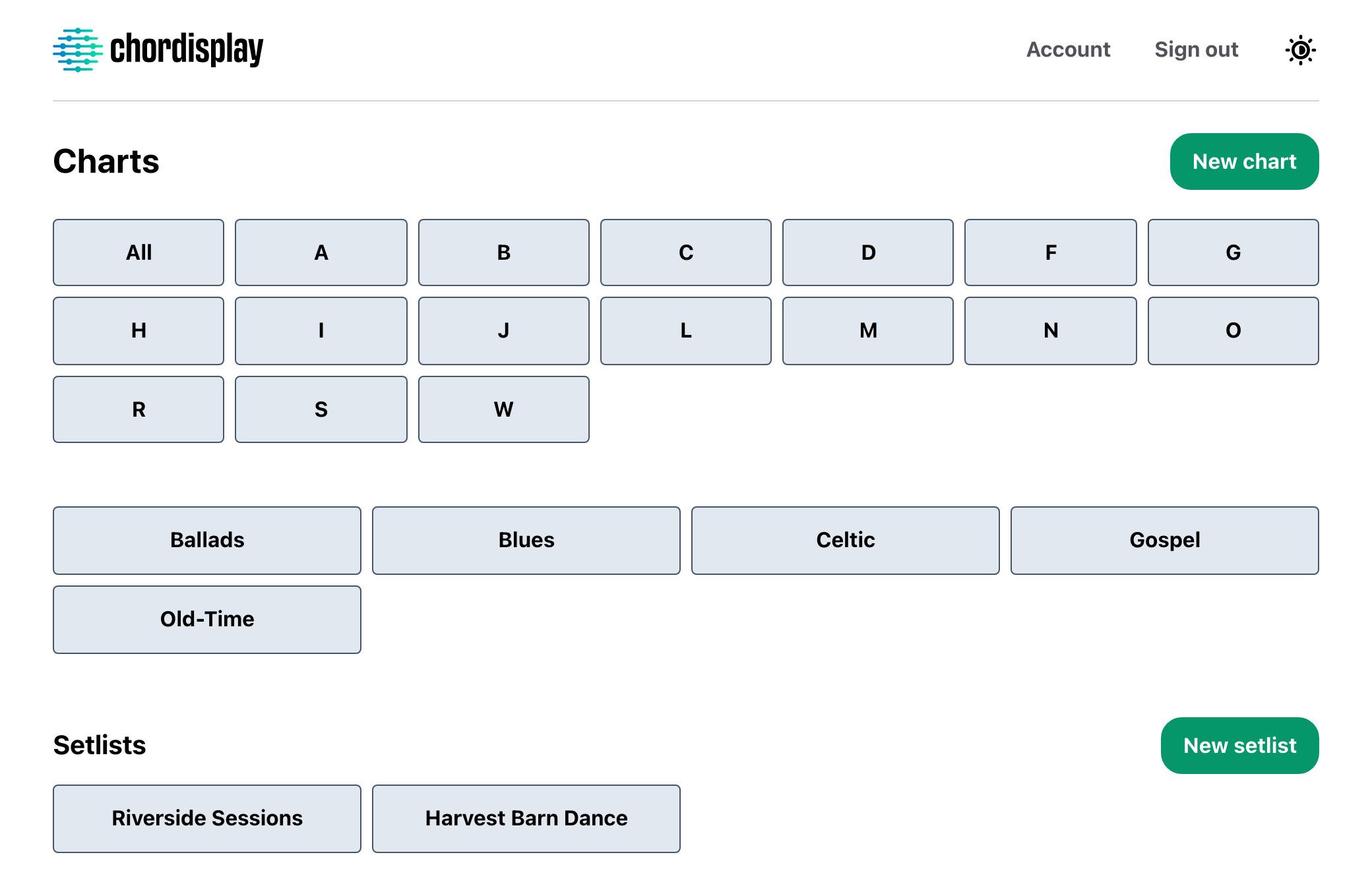
Chordisplay holds your chord charts and setlists, and everyone you play with is free. Run several bands out of one library — each sees only the setlists you put them on — and rework a song for one gig without touching the chart you keep.
30 days free.$7 a month after that, whatever the size of the band.No ads, no tracking.
House of the Rising Sun
Traditional · Key of Am
78 bpm
6/8 feel — arpeggiate throughout
Verse 1
Am      C        D        F
There is a house in New Orleans
Am        C      E
They call the Rising Sun
Am       C       D          F
And it's been the ruin of many a poor boy
Am     E      Am
And God, I know I'm one
Verse 2
Am        C          D       F
My mother was a tailor
Am       C        E
She sewed my new blue jeans
Am        C        D        F
My father was a gamblin' man
Am      E       Am
Down in New Orleans
What Chordisplay is for.
01
Everyone's buying their own copy.
Five in the band means five people paying, everywhere else. Here you pay for your library and the other four play from it free, on their own devices, with their own accounts.
02
You're not in one band.
Covers band on Tuesday, orchestra on Saturday, dep work in between. One library holds all of it, and each band opens only the setlists you put them on.
03
The gig version isn't the chart version.
Slower, shorter, different ending. Change the song inside that setlist and everyone playing it reads the change — while the chart you keep stays exactly as you wrote it.
For bands
Add the band. You're the only one who pays.
Owner
PaidYour library. You write the charts, build the setlists, and decide who gets onto which one.
Editor
FreeBuilds the set. Adds songs, fixes the order, marks up an arrangement — and the whole band reads it. Can't touch a chart in your library.
Viewer
FreeReads the set and plays from it. Changes nothing. For the stand-in who needs the songs, not the admin.
Your subscription covers everyone you add. Bandmates sign in with their own email, on their own device, and pay nothing — so a five-piece costs one subscription rather than five.
You give people a setlist, not your library. Put the horn section on Saturday's set and that's what they get — not the other four hundred charts, and not your other band's setlists.
One library
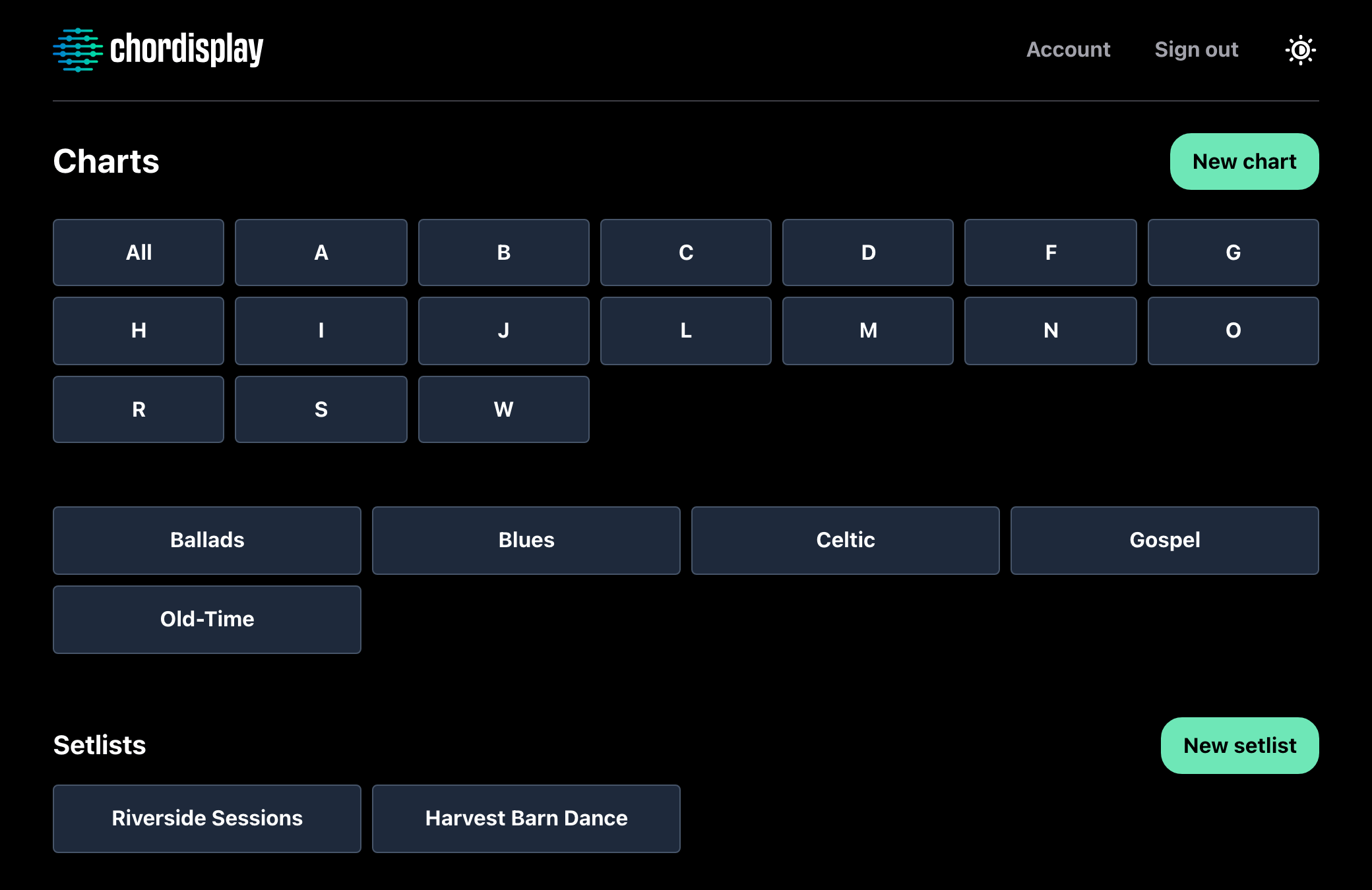
Every band you're in, out of one library.
Categories hold your charts and you invent the names. A chart can sit in as many as you like, so a standard both your bands play is written once and filed under both.
People are put on a setlist, never on your library. The covers band opens the sets you put them on, the orchestra opens theirs, and neither sees the other's — or the four hundred charts behind them.
You also choose, per setlist, what its Editors may add songs from: nothing, one category, or the whole library.
One gig
Rework a song for one gig. Your chart stays where it is.
A song added to a setlist is a full copy of your chart. Drop the tempo, cut a verse, write a note about the ending, or rewrite the arrangement outright — for that set.
Everyone playing the set reads it. Whoever's putting the set together makes the change in the one place the whole band opens on the gig.
The chart in your library doesn't move, and editing it later doesn't reach into the set either. Put the same song in twice and each one is its own version.
Slower this set. Hold the last chord — wait for the drums.
Chorus
G        D       Em      C
Wish you were here
Straight out — no repeat
What's in it
Built for the gig, not the demo.
Setlists the band builds together
Build a set from your charts, put it in playing order, and step through it with prev and next. Whoever's putting the set together works in the same place everyone else reads it.
More on setlists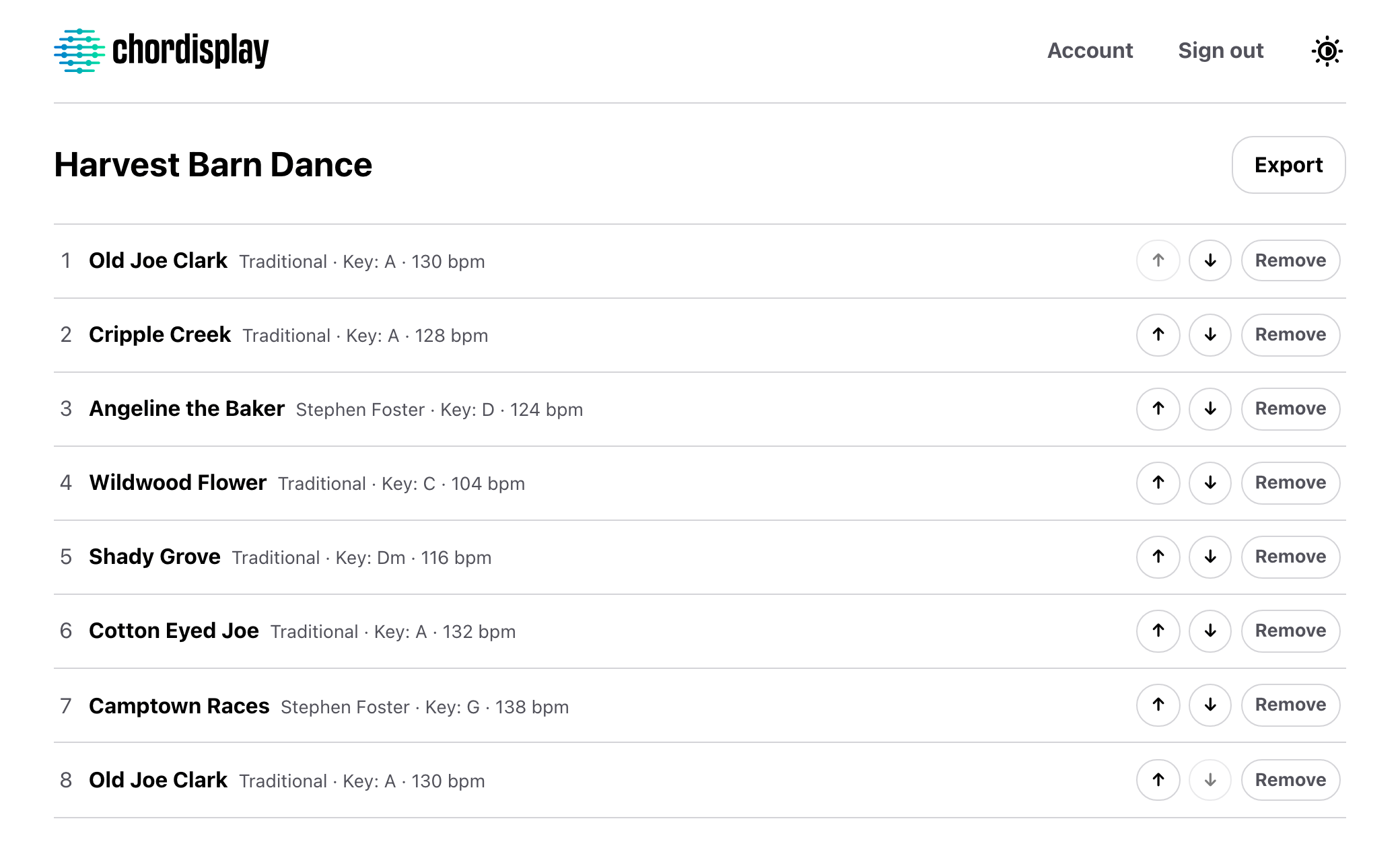
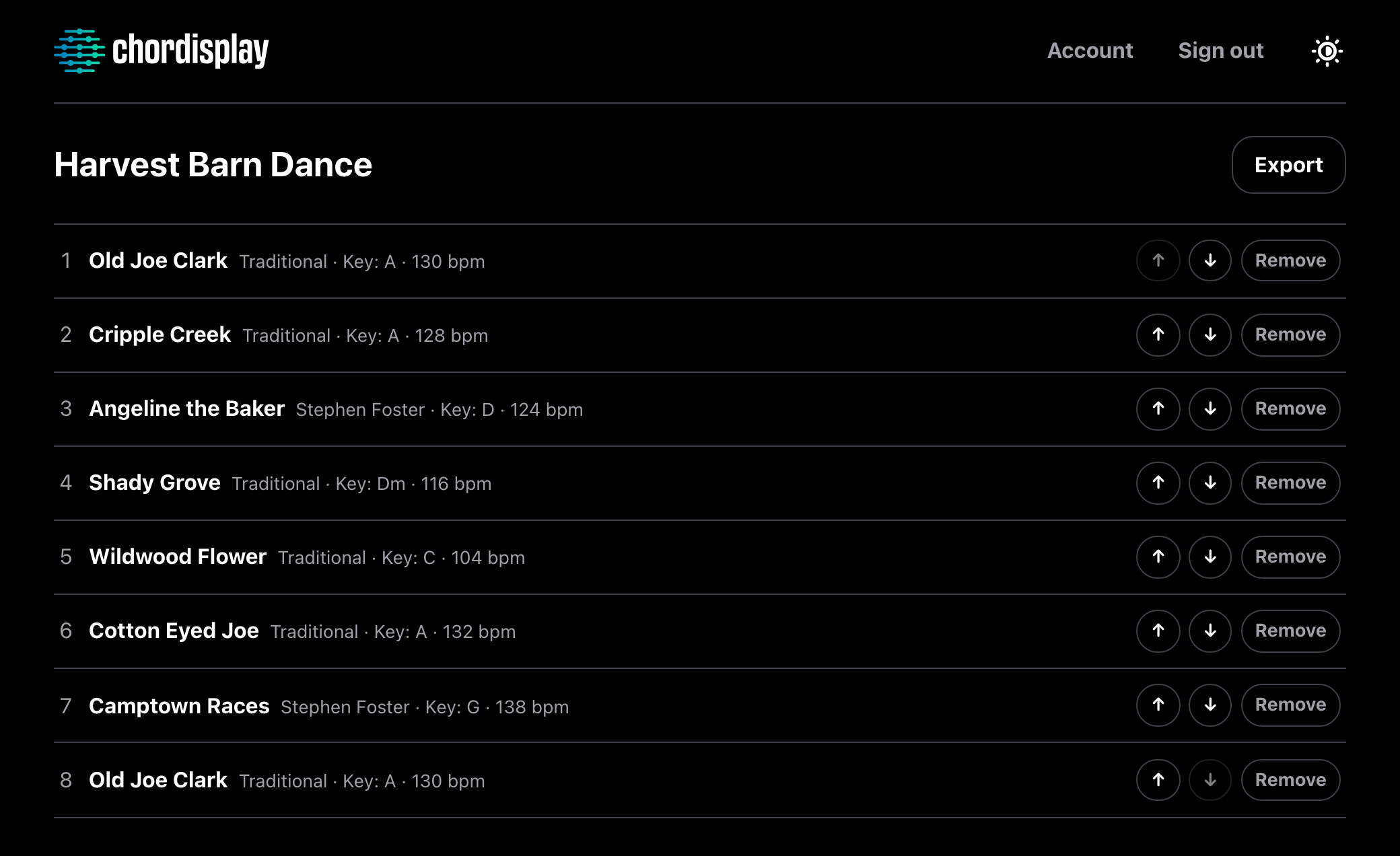
Categories you invent
Name them yourself, and file a chart under as many as you like. A whole category can be handed to another Owner in one go.
More on your libraryWrite on a real keyboard
Type a chart in the browser and watch chords, sections and notes colour as you go, in the colours the finished chart uses. It's on the tablet by the time you get to the gig.
Any key, while you're reading
Move a chart to whatever key suits the singer. The chords come with it, spelled the way that key is written, and the chart you saved is left as you wrote it.
Bring the charts you already have
Import ChordPro files, a folder at a time. You see exactly what's about to land before anything is written, and anything you already have is skipped.
Send charts to another Owner
One chart, a whole category, or your entire library. They accept it and it lands as their own copy. Groups put a whole band on a setlist at once.
More on sharing and groupsEvery chart on the device
The phone and tablet apps pull the whole library down while you're online — every chart in full, every setlist. Editing needs a connection, so nothing changes under you mid-show.
Turn the page with your foot
Pair a Bluetooth page-turner with the iOS or Android app and it scrolls the chart — a page at a time, or a line at a time — with both hands on the instrument.
Nothing public, nothing tracked
Logged out, there's a login screen and nothing else. No ads, no analytics SDKs, no advertising identifiers, and nothing sold to anyone.
Read the privacy policyiPad on the stand, phone in your pocket, browser at the desk — one account and one library on all of them.
Questions
The things people ask first.
Do my bandmates have to pay?
No. Only the person whose library it is has a subscription. Everyone they add to a setlist uses Chordisplay free, however many there are, each with their own account on their own device.
Can I run more than one band from one library?
Yes, and it's what the access model is built for. Categories hold your charts — invent whatever names you like, and a chart can sit in several at once. People are added to a setlist rather than to your library, so the Tuesday covers band opens Tuesday's sets and nothing else. You can also say which category a set's Editors may add songs from, so they're only ever searching their own band's repertoire.
Can I change a song just for one gig?
Yes. A song added to a setlist is a copy of your chart, so change its tempo or rewrite the whole arrangement there and everyone playing that set sees it. The chart in your library doesn't move — and editing that chart later doesn't reach back into the set either. They're independent from the moment the song is added.
Does Chordisplay come with songs?
No — and this is the most common thing people expect, so: Chordisplay isn't a place to find charts. It's where the charts you already have live, organised, shared with your band, and ready on stage. You bring your own.
What does it cost?
$7 a month for the person whose library it is, or $6 a month if you pay for the year at once — $72. Everyone they play with is free, however many there are. It starts with 30 days free — a card up front, charged at the end unless you cancel first.
Can I bring in the charts I already have?
Yes, if they're ChordPro files or a Chordisplay export. Pick a folder's worth at once; the app reads what's inside each file rather than trusting its name, shows you exactly what it's about to do before writing anything, and skips anything that looks like a chart you already have. PDFs are the honest no — there's no PDF import, display or annotation anywhere in Chordisplay.
Put the band on the same page.
30 days free. After that, one subscription covers everyone you play with.